
Contrary to popular belief, your “clean” digital life has a massive, hidden physical-world energy cost.
- The manufacturing of a new smartphone (its embodied carbon) is responsible for up to 80% of its lifetime emissions, making repair far superior to replacement.
- Inactive data isn’t harmless; every stored email contributes to the 24/7 energy demand of server farms, a sector whose consumption is projected to skyrocket.
Recommendation: Shift your focus from simple habits like “deleting emails” to understanding the underlying energy metrics (like PUE and embodied carbon) to make high-impact decisions about hardware longevity and data management.
If you’re a tech-savvy, environmentally conscious person, you probably live with a contradiction. You meticulously sort your recycling, compost your food scraps, and bike to work, yet you might have 10,000 unread emails, stream 4K video for hours, and upgrade your phone every two years without a second thought. The common advice—”delete old emails” or “unsubscribe from newsletters”—feels superficial and fails to capture the true scale of the problem. It treats digital waste as an abstract concept, disconnected from the physical world.
But what if the key to meaningful digital ecology wasn’t just about tidying up your inbox, but about understanding the industrial infrastructure that powers your online world? The real impact lies in the “invisible” physical processes: the energy-hungry server farms storing your data, the global networks transmitting it, and the carbon-intensive manufacturing of your devices. This is where concepts like Power Usage Effectiveness (PUE) in data centers and the embodied carbon of electronics become critical.
This article moves beyond the platitudes. We will dissect the physical energy cost behind your seemingly intangible digital habits. We will provide a technical framework to understand the real-world carbon footprint of your data, from its creation and storage (data-at-rest) to its transmission (data-in-transit). By making this invisible footprint visible and measurable, you can shift from low-impact tweaks to high-impact strategic changes in your digital consumption.
This guide breaks down the core components of your digital carbon footprint, offering technical insights and actionable strategies to manage each one effectively. Follow along to transform your understanding and take control of your environmental impact in the digital realm.
Table of Contents: Digital Ecology and Your Carbon Footprint
- Why Deleting Old Emails Saves Energy in Server Farms?
- Cloud Storage vs. Hard Drive: Which Uses Less Electricity?
- 4K vs. 1080p: The Carbon Cost of Binge-Watching High Definition?
- Repair vs. Replace: The Environmental Cost of Manufacturing a New Smartphone?
- Green Web Hosting: How to Ensure Your Website Runs on Renewable Energy?
- How to Audit Your Social Media Feeds in 30 Minutes to Reduce Noise?
- Tesla Powerwall vs. Generac: Do You Need a Battery If You Have Net Metering?
- How to Curate a Personal Lifestyle Feed That Actually Inspires Growth?
Why Deleting Old Emails Saves Energy in Server Farms?
The advice to “delete old emails” often feels like a drop in the ocean, but its impact becomes clear when you understand the concept of “data-at-rest” and the physics of server farms. Every single email, from a 10-year-old receipt to a spam message, resides on a physical server. These servers are housed in massive data centers that run 24/7, consuming vast amounts of electricity for processing, cooling, and redundancy. An idle server isn’t an efficient one; due to poor energy proportionality, even servers at low utilization consume a significant portion of their peak power.
Your inbox, multiplied by billions of users, creates a colossal and permanent demand for storage. This data-at-rest must be perpetually powered, cooled, and backed up. The scale is staggering; projections from the International Energy Agency show that without significant efficiency improvements, data centers could consume 945 TWh by 2030, a huge increase from today’s levels. Deleting an email, especially one with a large attachment, is not just a digital action—it’s a physical one. It frees up space on a hard drive, reducing the need for that server to be powered and cooled, and over time, lessening the demand to build more energy-intensive data centers.
To effectively reduce your email footprint, a targeted approach is more effective than random deletion:
- Prioritize large attachments: Search your inbox for emails with attachments over 5MB or 10MB and delete them first, as they consume the most physical storage space.
- Unsubscribe proactively: Preventing future data accumulation is more efficient than deleting it later. Use a service or manually unsubscribe from newsletters you no longer read.
- Use link sharing: Instead of attaching documents directly, upload them to a service and share a link. This prevents file duplication across multiple inboxes.
- Empty trash and spam regularly: These folders still occupy server space until they are permanently purged. Make it a weekly habit.
This reframes email management not as a simple housekeeping task, but as a direct contribution to reducing the baseline energy load of our global digital infrastructure.
Cloud Storage vs. Hard Drive: Which Uses Less Electricity?
The choice between storing files in the cloud versus a local hard drive is a direct trade-off in energy consumption patterns. The cloud offers unparalleled convenience and accessibility, but this comes at the cost of continuous, 24/7 energy use. A file stored on a service like Google Drive or Dropbox exists on servers that are always on, always connected, and always being cooled. This is ideal for collaborative and frequently accessed files but is incredibly inefficient for “cold storage”—files you rarely, if ever, open.
This visual comparison highlights the fundamental difference: the massive, always-on infrastructure of the cloud versus the personal, on-demand nature of local storage.
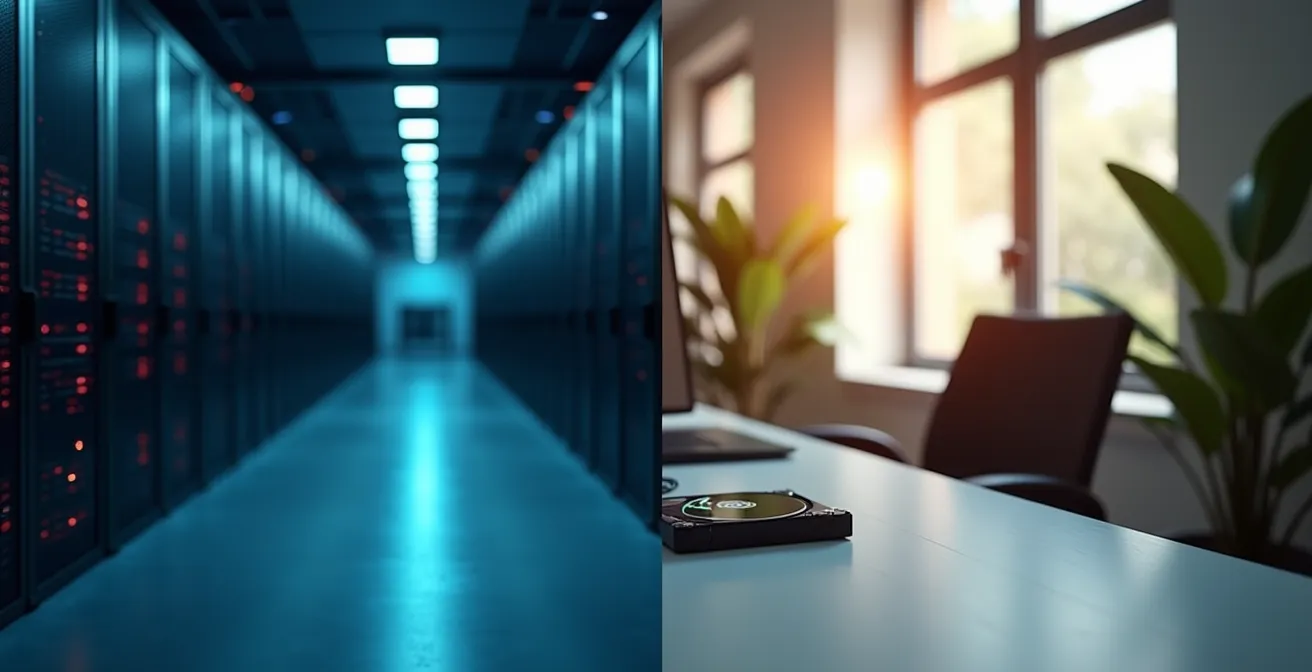
In contrast, an external hard drive consumes electricity only when it is plugged in and actively being used. For long-term archival of photos, documents, or old projects, it represents a near-zero energy solution when powered off. The energy cost is paid on-demand, not as a constant subscription. This makes local storage the clear winner for any data that does not require constant, remote accessibility.
This table breaks down the energy profile and best use cases for each storage method, highlighting the carbon impact of keeping data in a state of perpetual readiness versus storing it offline.
| Storage Type | Energy Use Pattern | Best Use Case | Carbon Impact |
|---|---|---|---|
| Cloud Storage | 24/7 continuous power | Frequently accessed, collaborative files | High for inactive data |
| External Hard Drive | Only when powered on | Long-term archival, cold storage | Near zero when powered off |
| SSD Internal | Moderate continuous | Active working files | Medium, device-dependent |
A hybrid strategy is often the most sustainable. Use the cloud for active, collaborative work, but migrate completed projects and personal archives to an external hard drive. This approach matches the energy expenditure to the data’s utility, dramatically reducing the parasitic energy drain from storing inactive files in the cloud.
4K vs. 1080p: The Carbon Cost of Binge-Watching High Definition?
Video streaming is a primary driver of “data-in-transit,” the energy required to move information across global networks from a data center to your device. The carbon cost of this process is directly proportional to the amount of data being transferred. Streaming in 4K resolution can require up to four times more data than streaming in 1080p, which translates directly to a higher energy demand from network equipment and data centers. While the impact of a single stream may seem small, with studies suggesting that streaming a 30-minute show on Netflix releases approximately 0.018kgCO2e, the cumulative effect of billions of hours watched globally is enormous.
The convenience of high-definition streaming masks a significant environmental toll. Choosing a lower resolution, especially on smaller screens like smartphones or tablets where the visual difference is negligible, is a powerful and immediate way to reduce your digital footprint. It’s a conscious decision to demand less from the global network infrastructure.
Case Study: YouTube’s Massive Carbon Footprint
A study by researchers at the University of Bristol provided a stunning illustration of this cumulative effect. They calculated that in 2016 alone, YouTube viewing was responsible for 11.13 million tons of CO2 equivalent. This is comparable to the annual emissions of a small city like Frankfurt or Glasgow. The researchers pointed out a simple, high-impact solution: offering an audio-only option for users listening to music could save an estimated 323,000 tons of CO2 per year, simply by eliminating the unnecessary video data transfer.
This principle extends beyond video quality. Features like video autoplay on social media feeds contribute to this data-in-transit load, often for content you had no intention of watching. By disabling autoplay and consciously selecting the content and quality you consume, you shift from being a passive consumer of data to an active manager of your digital energy expenditure.
Repair vs. Replace: The Environmental Cost of Manufacturing a New Smartphone?
While we often focus on the energy used by our devices, the largest part of a smartphone’s carbon footprint is created before you even turn it on. This is its embodied carbon: the sum of all greenhouse gas emissions produced during the extraction of raw materials, manufacturing, and transportation. For a typical smartphone, manufacturing and raw materials account for approximately 80% of total emissions. This means the single most impactful action you can take is to extend the life of your current device rather than replacing it.
The cycle of annual upgrades, driven by marketing and minor feature improvements, fuels a highly destructive environmental process. Repairing a cracked screen, replacing a aging battery, or simply using your phone for an additional year or two dramatically reduces your personal contribution to this manufacturing footprint.

The scale of this impact is hard to overstate. It’s not just about one phone; it’s about shifting a global consumption pattern. As a report on the subject highlights, the collective benefit is immense.
Adding just one year to the lifetime of all smartphones worldwide could save the same amount of carbon emissions by 2030 as removing 4.7 million cars from the road.
– Research Team, Phones and the Planet Report
Choosing to repair your device is a vote for a more sustainable, circular economy. It supports local repair businesses, reduces electronic waste, and directly counters the “take-make-dispose” model that dominates the tech industry. Before you consider an upgrade, ask yourself: is the new device truly necessary, or can a simple repair give your current one a second life?
Green Web Hosting: How to Ensure Your Website Runs on Renewable Energy?
For those who run websites or online businesses, choosing a web host is a major decision in digital ecology. A website is not an ethereal entity; it exists on a server in a data center, consuming energy 24/7. A “green” web host is one that actively works to power its operations with renewable energy, either by generating its own, purchasing certified renewable energy, or buying Renewable Energy Certificates (RECs) to offset its consumption.
However, “greenwashing” is common in the hosting industry. Many hosts make vague claims without providing proof. To truly ensure your website is part of the solution, you must become an auditor, verifying their claims against objective standards. This requires looking beyond marketing slogans and digging into their energy procurement strategy. True green hosts are transparent about their certifications and investments.
Your Action Plan: Verifying Green Hosting Claims
- Check for Certifications: Look for official recognition, such as being an EPA Green Power Partner in the U.S. or having data centers certified under schemes like LEED or Energy Star for their energy efficiency.
- Verify Renewable Energy Purchase: Investigate their use of Renewable Energy Certificates (RECs) or Guarantees of Origin (GOs). A truly green host should purchase enough to cover at least 100% of their energy consumption, with leaders purchasing much more.
- Distinguish Offsets from Direct Renewables: Carbon offsets are good, but they are not the same as powering operations with renewable energy. Prioritize hosts that invest directly in wind, solar, or hydro power for the grid their data centers use.
- Use Third-Party Directories: Utilize tools like The Green Web Foundation’s directory. You can enter a website’s URL to see if it’s hosted on a server recognized as running on green energy.
- Analyze Transparency: Does the host openly publish its PUE (Power Usage Effectiveness) rating or details about its cooling systems? A lack of transparency is often a red flag.
Case Study: GreenGeeks’ “Carbon-Negative” Model
GreenGeeks provides a concrete example of a verifiable green hosting model. They are a recognized EPA Green Power Partner and go beyond simple carbon neutrality. For every unit of energy their operations consume, they purchase three times that amount in the form of RECs, returning a surplus of green energy to the grid. This “carbon-negative” or “climate-positive” approach actively helps decarbonize the grid, in addition to planting one tree for every hosting account created.
By choosing a verifiably green host, you ensure your digital presence is powered by a sustainable energy source, directly contributing to the transition away from fossil fuels in the tech sector.
How to Audit Your Social Media Feeds in 30 Minutes to Reduce Noise?
Social media platforms are significant contributors to digital carbon emissions, primarily through the massive transfer and processing of data required to power algorithmic feeds and video content. The constant scrolling, refreshing, and autoplaying of media on a global scale adds up; it’s estimated that mobile social media usage generates approximately 262 million tons of CO2 per year. “Auditing your feed” is therefore not just about mental well-being; it’s a direct energy-saving practice.
The goal of a 30-minute audit is to reduce the “data weight” of your daily social media consumption. Every video that autoplays, every notification that pushes data to your phone, and every account you follow that clutters your feed contributes to this weight. By systematically cutting down on this digital noise, you decrease the energy demand from both your device and the network servers.
A quick, focused audit can dramatically lower your footprint. Here is a checklist of high-impact actions to take on your primary social media platforms:
- Disable all video autoplay features: This is the single most effective step. It stops your feed from loading heavy video data for content you may not even want to watch.
- Mute or unfollow video-heavy accounts: If you follow accounts that primarily post high-resolution videos or frequent “Stories,” consider muting or unfollowing them to lighten your feed’s data load.
- Switch to chronological feeds: Where possible, opt for a chronological feed over an algorithmic one. Algorithmic feeds often require more background processing and pre-loading of content to “predict” what you want to see.
- Turn off non-essential push notifications: Each notification represents a small data transaction. Turning them off reduces this background data chatter and the associated energy use.
- Embrace “reader mode”: When following links from social media to articles, use your browser’s “reader mode” to strip away ads, auto-playing videos, and other heavy page elements.
This audit transforms your social media usage from a passive, high-data activity into an intentional, low-impact one. It’s a practical application of digital ecology that benefits both your focus and the planet.
Tesla Powerwall vs. Generac: Do You Need a Battery If You Have Net Metering?
In the world of home energy, the debate between investing in a battery like a Tesla Powerwall versus relying on net metering is a conversation about efficiency, resilience, and cost. This same strategic thinking applies on a colossal scale to the digital world. The “grid” is the vast network of data centers, and their core efficiency challenge is minimizing wasted energy. The key metric that governs this is Power Usage Effectiveness (PUE), which measures how much energy is used for non-computing overhead (like cooling) for every watt delivered to IT equipment. A perfect PUE is 1.0.
Just as a homeowner wants to maximize their solar investment, tech giants strive to lower their PUE to reduce one of their largest operational costs: electricity. This isn’t just an academic exercise; it has a profound impact on the internet’s total carbon footprint. As an authority on the topic stated:
Data centers worldwide consume 200 TWh of electricity annually, equivalent to 1% of global electricity demand.
– International Energy Agency, 2024 Data Centers and Networks Report
Even small improvements in PUE, when scaled across thousands of facilities, result in massive energy savings. This is where industry leaders are focusing their efforts, treating their data centers like finely tuned power plants.
Case Study: Google’s Pursuit of 24/7 Carbon-Free Energy
Google has been a leader in driving down PUE. In 2024, its global fleet of data centers achieved an average PUE of 1.09, meaning they used 84% less overhead energy than the estimated industry average of 1.56. This is achieved through advanced cooling techniques, AI-driven load management, and custom-built hardware. Their ultimate goal is even more ambitious: to operate on 24/7 carbon-free energy on every grid by 2030, matching their energy consumption with clean energy generation on an hourly basis, effectively eliminating their emissions footprint.
As end-users, while we don’t control data center PUE directly, our choices matter. By supporting companies that are transparent about their PUE and are investing heavily in efficiency and renewable energy, we create market pressure for the entire industry to improve its “grid” performance.
Key Takeaways
- The majority (up to 80%) of a smartphone’s carbon footprint comes from its manufacturing (embodied carbon), making device longevity the highest-impact action.
- Data-at-rest is not free; inactive files in cloud storage and email inboxes contribute to 24/7 energy consumption in data centers.
- Video streaming quality has a direct carbon cost. Choosing 1080p over 4K, especially on small screens, significantly reduces data-in-transit and its associated energy use.
How to Curate a Personal Lifestyle Feed That Actually Inspires Growth?
In the context of digital ecology, a “lifestyle feed that inspires growth” takes on a new meaning. It’s not just about content that motivates you, but about curating a digital environment that is intentional, low-impact, and actively reduces digital pollution rather than contributing to it. The mindless, infinite scroll through algorithmically-fed, video-heavy content is the antithesis of this. It’s a high-consumption habit, both mentally and energetically. Certain platforms, due to their format, have a disproportionately high footprint; research suggests TikTok generates 2.63g of CO2 per minute of use, among the highest for social apps.
True growth comes from conscious consumption, not passive intake. Curating a sustainable feed means making deliberate choices about formats and sources. It involves shifting your habits away from energy-intensive media and towards more “lightweight” forms of information and inspiration. This is an act of personal responsibility that aligns your digital self with your environmental values.
This curation process involves several key shifts:
- Prioritize Text and Static Images: Consciously follow more writers, photographers, and illustrators over video-centric creators. Text-based platforms like newsletters or blogs have a fraction of the carbon footprint of video streaming.
- Choose Audio Over Video for Music: When listening to music, use an audio-only service or the audio-only mode on platforms like YouTube. You get the same auditory experience while saving a huge amount of data-in-transit.
- Replace Scrolling with Searching: Instead of letting an algorithm push content to you, actively search for the information or inspiration you need. This is a more focused, less data-intensive way to use the internet.
- Support Low-Bandwidth Design: Favor websites and creators who embrace minimalist, fast-loading design. They respect both your time and the planet’s resources.
By curating your feed in this way, you not only reduce your personal carbon footprint but also cultivate a more focused and less distracting digital life. It’s a form of growth that is both personal and ecological.
Frequently Asked Questions on Digital Carbon Footprint
Which content format has the lowest carbon footprint?
Text-based content has the lowest impact, followed by static images. Video streaming, especially in high resolution, has the highest carbon footprint due to massive data transfer requirements.
Can switching to audio-only reduce my streaming footprint?
Yes, playing songs as audio instead of video on YouTube can reduce energy consumption by up to 80% after the first download.
How much does screen time impact my digital carbon footprint?
The average person spending 2 hours 24 minutes daily on social media generates approximately 60kg of CO2 annually just from this activity.
Understanding the invisible architecture behind your digital life is the first step toward meaningful change. Now that you are equipped with the technical knowledge of embodied carbon, PUE, and the energy costs of data, the next logical step is to perform a systematic audit of your own digital habits and assets. Start today by applying these principles to transform your digital footprint from an invisible liability to a conscious asset.